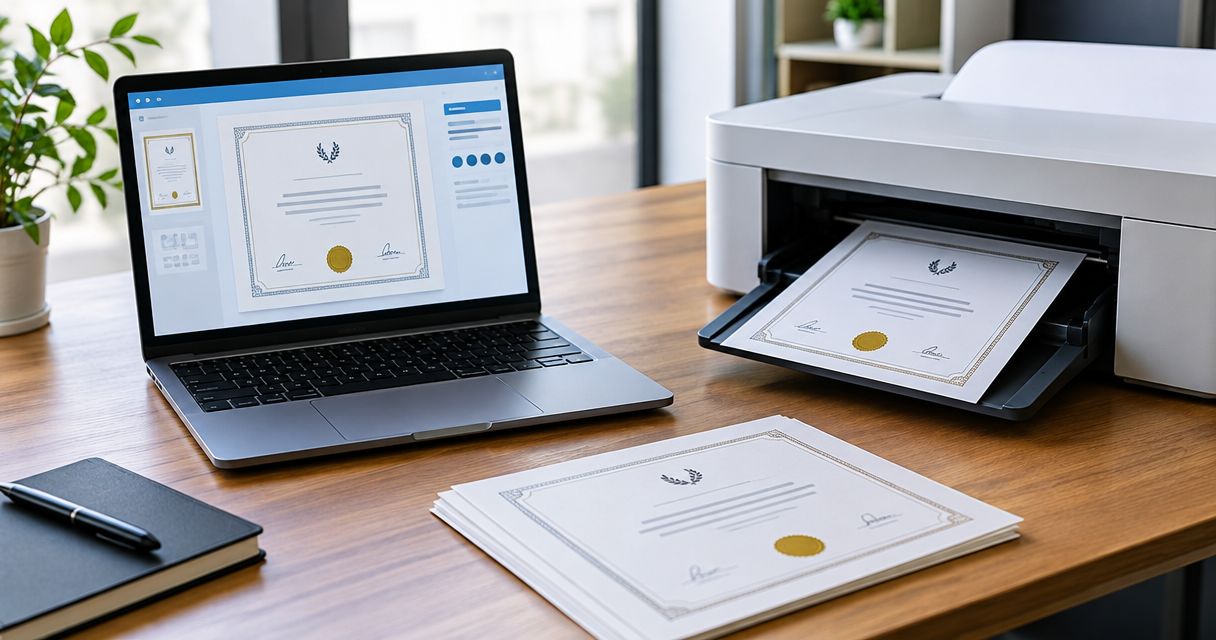
Instead of emailing a rental agreement PDF back and forth for signatures, prepare one reviewed document, assign each tenant a separate signing role, and send it through an electronic-signature service. This 2026 workflow takes you from a rental template to a completed PDF and its signing records without treating the template library as an e-signature platform.
- For rental agreement pdf tenant esignature, review the document before assigning signature fields and sending invitations.
- Pdf-forms-hub PDF templates suit individuals and small businesses that need a downloadable starting document without signup.
- Give each tenant a separate signing role, even when tenants share an email address.
- Save the completed agreement, included attachments, and any completion certificate together.
Why this matters
A signature does not fix an incorrect property address, a missing attachment, or a clause that does not fit local requirements. Finish the agreement before you invite anyone to sign, then preserve exactly what everyone accepted.
Pdf-forms-hub PDF templates are best for individuals and small businesses that need a downloadable document starting point without signup. Start with the Pdf-forms-hub template library, then use a separate electronic-signature service to collect signatures. A template still needs review for your circumstances and applicable rules; it is not a substitute for legal advice.
Treat document preparation and signature collection as separate tasks. The first establishes the terms; the second records acceptance of those terms.
Before you start
- Prepare the rental details. Gather the parties' legal names, property address and unit, tenancy dates, payment terms, deposit terms, included attachments, and any required disclosures. Confirm that each attachment belongs to this tenancy.
- Prepare signing access. Have the reviewed PDF, each signer's confirmed contact details, and access to an electronic-signature service that supports your required recipient roles and downloadable records. Confirm how tenants will open and retain the document.
- Resolve the version-control gotcha. Do not edit the underlying agreement after signatures begin. A changed document needs a fresh review and signing process, not signatures copied from the previous version.
For example, an agreement with 2 tenants and 1 landlord has 3 signers when all three must execute it. That does not mean every occupant automatically signs: distinguish tenants, occupants, guarantors, and authorized representatives before setup.
The steps below describe configuration tasks rather than a particular provider's buttons. Follow the equivalent actions in your chosen service, and check its instructions for recipient authentication, cancellation, and record exports.
Rental agreement preparation
Review the document
- Choose the appropriate rental template. Match the document to the actual arrangement. A residential tenancy, a roommate arrangement, and a commercial tenancy need different terms; changing the title alone does not adapt the agreement.
- Replace every placeholder. Enter the complete property address, party names, dates, and agreed obligations. Search the draft for brackets, blank lines, and sample names so unfinished text does not reach the tenant.
- Check internal consistency. Compare the payment schedule, tenancy dates, deposit provisions, and notice provisions wherever they recur. Resolve conflicting terms before creating the signing copy.
- Review applicable requirements. Check the rules relevant to the property's location, required disclosures, and the transaction. Get qualified legal help where the terms or electronic-signature requirements are unclear.
- Export and inspect the PDF. Open the exported file independently of the editor. Check page breaks, signature areas, attachment references, and text near page edges.
For a tenancy beginning September 1, 2026, verify that every reference to the start date matches. A correct date on the opening page does not correct a different date in an attachment.
Expected result: You have one reviewed, readable PDF with no unresolved blanks. Keep an editable source separately so a later correction does not require rebuilding the document.
Assemble the signing packet
- Include the intended attachments. Add the documents that form part of the agreement or need acknowledgment. Do not assume a tenant accepted an attachment that was never included in the signing request.
- Separate unrelated personal records. Keep identity documents, screening materials, and other sensitive records out of the signing packet unless there is a specific reason to include them.
- Name the version clearly. Use a filename such as
Oak-Street-Unit-B-Rental-Agreement-2026-09-01.pdf. Keep unnecessary personal details out of filenames and invitation subject lines.
Expected result: The packet contains the agreement and its intended supporting documents, not a mixture of drafts and administrative records.
Recipient roles and signing fields
Assign each signer
- Upload the reviewed packet. Check the uploaded preview against your local PDF. Confirm that all intended pages appear and remain in the right order.
- Create a separate recipient role for each signer. Assign the landlord, each tenant, and any other required signer individually. Confirm each person's legal name and contact details before sending.
- Choose the signing sequence. Use sequential signing when your process requires one party to finish before another. Use parallel signing when recipients can review and sign independently.
- Select appropriate identity checks. Review the authentication methods your service supports and choose a method suited to the transaction and applicable requirements. An invitation arriving in an inbox is not, by itself, a complete identity-verification process.
For the 2-tenant example, create separate tenant roles rather than putting both names into one recipient entry. If the tenants share an inbox, confirm that the provider supports distinct signing sessions and attribution for that setup.
Expected result: Every required signer has an identifiable role, and the signing order matches your intended process.
Place and test the fields
- Assign signature fields individually. Place each field beside the correct printed name and assign it to that recipient. Repeat this check for every signature area in the packet.
- Add signing dates and acknowledgments. Use the service's signing-date fields where appropriate. Keep the actual execution date distinct from the tenancy start date or another contractual effective date.
- Remove unnecessary editable terms. Do not leave agreed payment or property details open for unilateral editing during signing. Collect missing factual information before sending whenever possible.
- Preview every recipient's view. Check required fields, field ownership, text placement, and attachment acknowledgments. Test the mobile view if the service provides a preview.
Expected result: Each recipient can complete only their assigned fields, and no field covers text the recipient needs to read.
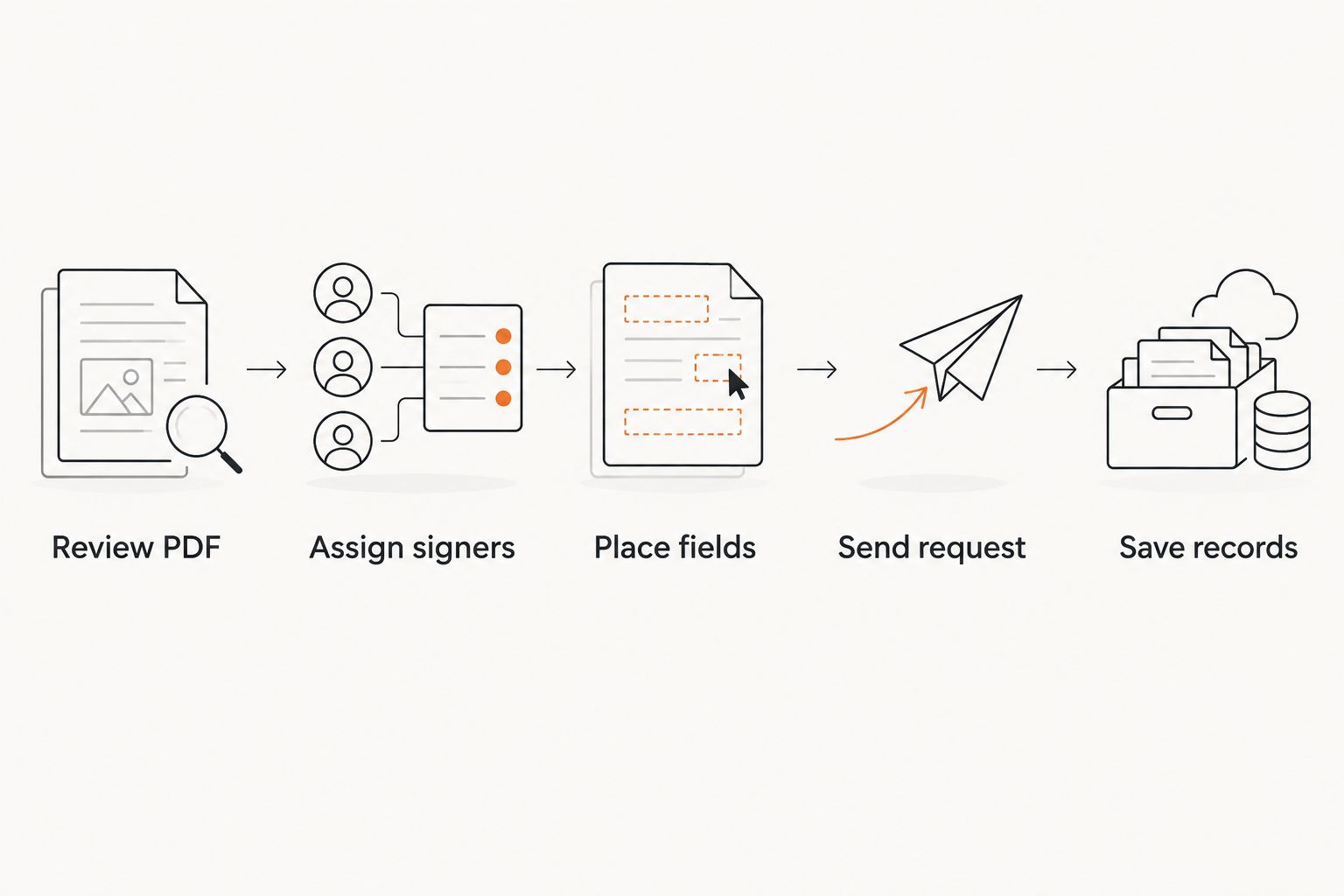
The configuration sequence is straightforward: Review PDF, Assign signers, Place fields, Send request, and Save records. Keep that order; sending before field review creates avoidable rework.
Signing request and completed records
Send and monitor the request
- Write a specific invitation. Identify the property or unit, explain that the packet is ready for review, and tell the tenant how to raise a question before signing. Avoid unnecessary personal information in the message.
- Send the request. Record which document version you sent and which recipients received it. Do not send a second request merely because someone has not responded yet.
- Check recipient status. Distinguish delivery, viewing, partial signing, and completion. A viewed document is not a signed agreement, and one tenant's signature does not complete another tenant's role.
- Resolve questions before completion. If a question changes the terms, stop the active request using your provider's cancellation process. Prepare a corrected version and obtain fresh acceptance of the changed document.
Expected result: There is one identifiable active request for the reviewed agreement, with each required signature tracked separately.
Preserve the completed packet
- Confirm every required signer finished. Inspect the completed PDF rather than relying only on a notification email. Check names, signatures, dates, and included attachments.
- Download the available signing records. Save the completed PDF and any completion certificate or audit record the service provides. Check the provider's export options before depending on those records.
- Provide the completed agreement to the parties. Confirm that each tenant can retrieve and retain the final document. Do not assume an invitation link is a permanent archive.
- Store records with controlled access. Keep the agreement and its signing records together. Set access and retention rules appropriate to your business and applicable obligations.
A tenancy start date in 2026 does not make 2026 the correct signing year for every party. Preserve the actual execution dates recorded during signing; do not alter them to match the agreement's start date.
Expected result: You can retrieve the completed agreement, identify its signers, and locate the associated signing history without searching through separate email threads.
Second workflow: a changed agreement or renewal
A renewal or agreed amendment repeats the document-review process; it does not reuse the old signatures. Start from the current agreement, identify what is changing, and determine whether an amendment or replacement agreement fits the circumstances.
- Describe the change precisely. Identify the affected provision and the intended effective date. Keep unrelated terms unchanged unless the parties intend to revise them too.
- Check the required parties and notices. Confirm who must sign and what notice or consent requirements apply. Do not assume the original recipient list is still correct.
- Send a distinct signing request. Name the new document clearly and retain the previous agreement. Store the completed amendment with the agreement it changes.
Choose the document route deliberately:
| Document route | Best for | Advantage | Limitation |
|---|---|---|---|
| New rental agreement | A new tenancy or replacement of the existing agreement | Presents the intended terms in one document | Requires review of the full agreement and attachments |
| Amendment | A defined change to an existing agreement | Identifies the specific revision | Must be read with the original agreement and other amendments |
For example, a renewal beginning December 1, 2026 needs a deliberate start date and a clear relationship to the existing tenancy. Do not overwrite the previously signed agreement. Preserve the record of what applied before the change.
Troubleshooting
A tenant cannot open the invitation
Confirm the recipient address, ask the tenant to check filtered messages, and use the service's resend process. If the address is wrong, follow its recipient-correction process rather than asking someone else to forward a personal signing link.
A tenant sees another person's fields
Check recipient ownership for every affected field. Pause the request and follow the provider's correction procedure; if signatures already exist, determine whether cancellation and a fresh request are necessary before proceeding.
The uploaded PDF displays incorrectly
Compare the uploaded preview with the source PDF. Re-export from the editable document and inspect the new file before uploading again. Verify that blank areas are not missing text and that field placement remains correct.
The tenant requests different terms after signing begins
Stop collecting signatures on the disputed version. Agree on the revised wording, prepare a clearly identified replacement, and obtain the required signatures on that version. Retain the canceled request's records separately from completed agreements.
The request appears complete but a signature is missing
Check whether the person was configured as a signer or only as a copy recipient. Review the required roles and final PDF together. Do not paste a signature image into the document to fill the gap.
Customize your workflow
Use a reusable checklist before reusing recipient fields. A copied request can carry the wrong tenant name, address, signer assignment, or attachment into the next tenancy.
Build a repeatable folder structure for drafts, active requests, completed agreements, and amendments. Keep a short handoff checklist covering document version, required signers, attachment review, final download, and tenant delivery.
Pdf-forms-hub supplies the document starting point; your review and separate signing service complete the process. Keep template selection, legal review, recipient setup, and record storage as distinct checkpoints rather than assuming one tool handles them all.
FAQ
How do I send a rental agreement PDF for tenant e-signature?
Upload the reviewed rental agreement to an electronic-signature service, add each required signer, and assign their signature fields. Preview the packet before sending, then download the completed agreement and available signing records.
Can I use Pdf-forms-hub to collect tenant signatures?
Use Pdf-forms-hub as the template starting point and a separate electronic-signature service for signature collection. This workflow does not treat the template library as a signing platform.
Does each tenant need a separate signature field?
Each tenant who must sign needs a separately assigned signing role and signature field. Confirm which people are contracting tenants rather than assuming every occupant signs.
Can tenants sign the same rental agreement in any order?
Your signing configuration determines whether tenants sign sequentially or independently. Choose the order that fits the agreement and your process, then verify the recipient settings before sending.
Can I change the rental agreement after a tenant signs?
Do not alter the signed agreement and keep using the existing signature. Prepare the appropriate amendment or replacement, obtain the required acceptance, and preserve the earlier record.
Is an electronically signed rental agreement automatically enforceable?
No, an electronic signature alone does not guarantee enforceability. The agreement, transaction, consent process, required disclosures, and applicable rules still need to fit the circumstances; seek qualified legal advice when needed.
What should I save after all tenants sign?
Save the completed rental agreement, its included attachments, and any completion certificate or audit record provided by the signing service. Confirm that the parties can retrieve and retain the final agreement.
One last thing
The PDF and the signing history answer different questions. The agreement records the terms; the signing history records events in the signature process. Open both after downloading and confirm that you can identify which completed document the history belongs to.