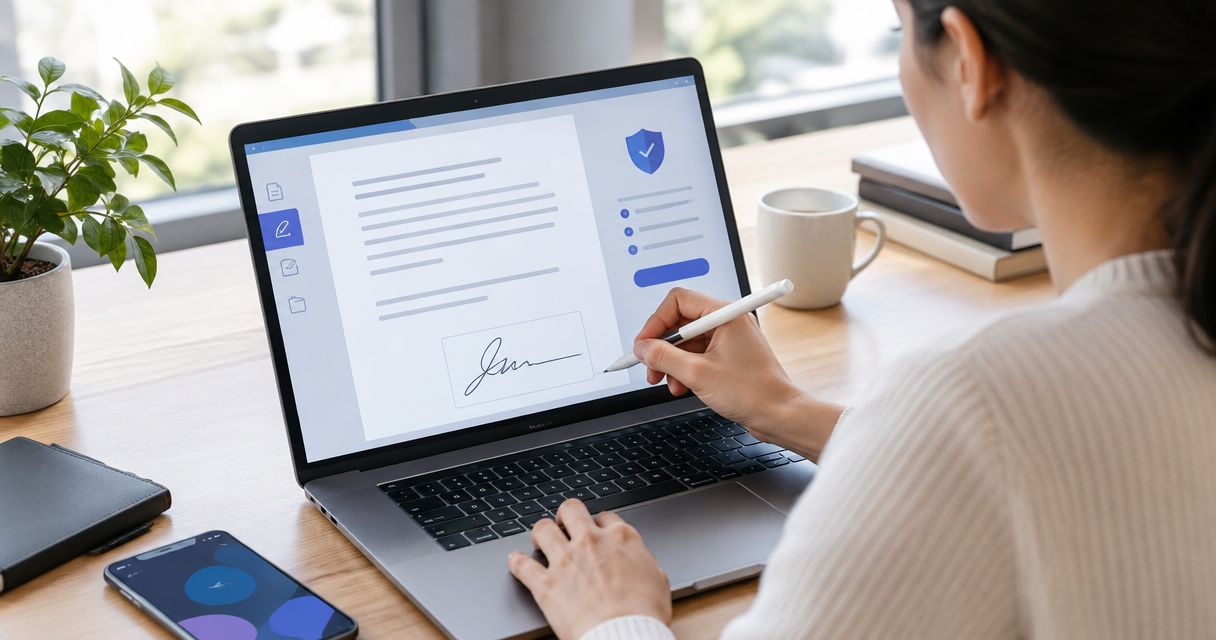
Instead of manually emailing an NDA back and forth for signatures, prepare one final PDF, send it through an electronic-signature workflow, and save the completed agreement with its signing record. To sign NDA PDF online in 2026, start with a template that fits the disclosure, confirm who must sign, and keep document drafting separate from signature collection.
- Pdf-forms-hub is best for freelancers and small businesses that need a downloadable NDA template before collecting electronic signatures.
- To sign NDA PDF online, finalize the agreement before uploading it to your electronic-signature service.
- Use signature requests when multiple people must sign; adding your own signature does not collect theirs.
- Save the completed NDA PDF and any completion certificate or audit trail supplied by your signing service.
Why this matters
An NDA workflow has two separate jobs: create the right agreement and document each required signature. A PDF with your signature on it does not prove that the other party accepted the agreement.
Pdf-forms-hub provides free downloadable PDF templates, including NDAs, without signup. Treat the template as your drafting starting point, not as a promise that the wording fits every disclosure or jurisdiction.
For your 2026 NDA workflow, finish the terms before requesting signatures. Changing the agreement after someone signs creates a version-control problem and can require a fresh signing request.
This guide covers preparation, signature routing, delivery, and recordkeeping. Templates need to fit your circumstances and applicable rules; they are not a substitute for legal advice.
Before you start
- Prepare the materials: the NDA PDF, each party's correct legal name, signer names and email addresses, and the intended effective date. Use the NDA templates for startups guide to review template choices before routing an agreement.
- Arrange signing access: use a PDF-signing service that supports your required workflow. Confirm sender access, recipient authentication, document retention, and whether recipients need accounts before sending a live agreement.
- Check the hidden blocker: an existing digital signature or security restriction can prevent further editing or signing. Start from the unsigned source PDF, and never remove someone else's signature to make room for yours.
For a reusable 2026 setup, also decide who owns the completed record. A founder's inbox is not a filing system when colleagues need to retrieve the agreement later.
Choose your signing workflow
Choose based on whose signature you need, not on whether a tool lets you draw a signature.
| Workflow | Best for | Advantage | Limitation |
|---|---|---|---|
| Add your own signature | Returning an NDA that only needs your signature | Lets you complete your part directly | Does not collect the other party's signature or establish their acceptance |
| Send a signature request | Collecting signatures from the required parties | Assigns fields to recipients and tracks the request | Requires correct routing, recipient details, and review of the service's recordkeeping |
Use a signature request when you need the counterparty to sign. If the other party already sent a signing invitation, use that invitation rather than creating a competing request for the same agreement.
Pdf-forms-hub is best for freelancers and small businesses that need a downloadable NDA template before collecting electronic signatures. Its role here is document preparation; use your selected signing service for recipient routing and signature collection.
Final agreement configuration
The instructions below describe actions rather than inventing button names for an unspecified signing service. Follow the corresponding controls in the service you select.
- Choose the disclosure structure. Use unilateral wording when confidential information flows from one party to another; review mutual wording when both parties disclose protected information. Match the text to the actual arrangement.
- Identify the parties. Enter legal names rather than relying only on project names or email addresses. Where someone signs for a business, include their name and role in the signature block.
- Define the permitted purpose. Describe why information is being shared. For example, a freelancer and prospective client might exchange materials to evaluate a proposed website project.
- Review the obligations. Check the definition of confidential information, exclusions, permitted recipients, duration, return or deletion requirements, and governing-law language. Resolve conflicting terms before signing.
- Export and inspect the PDF. Open the actual exported file, not just the editable source. Check page breaks, party names, signature blocks, missing text, and remaining placeholders.
Expected result: you have 1 unsigned PDF containing the complete agreed text, with readable signature blocks and no drafting instructions left inside.
Keep that unsigned source. If the wording changes during review, update the source and export a replacement rather than patching the document after signatures begin.
Worked example: freelancer and client
A freelance designer needs an NDA before reviewing a prospective client's unpublished product brief. The designer checks whether only the client discloses information or whether both parties will share confidential material.
The agreement names the actual contracting parties and describes the evaluation purpose. The signature blocks identify the people signing and, where relevant, the businesses they represent.
This example shows the preparation sequence, not recommended legal terms. Have counsel review provisions that do not match the engagement.
Recipient and field configuration
- Upload the approved PDF. Open the uploaded preview and compare it with your final local file. Confirm that every page appears and that the text is readable.
- Enter the recipients. Match each email address to the intended signer. For a business counterparty, confirm who is authorized to sign rather than assuming your day-to-day contact has that authority.
- Choose the signing order. Use sequential routing when one person must sign before another. Use parallel routing only when neither signature depends on the other being collected first.
- Assign each field. Place signature, signer-name, title, and signing-date fields where the agreement requires them. Assign every required field to the correct recipient.
- Check authentication and delivery. Apply the verification settings appropriate to the information and the parties. Preview the message so recipients can identify the agreement and understand the requested action.
For an agreement requiring 2 signers, verify both assignments separately. A field placed on the correct line but assigned to the wrong person is still a routing error.
Expected result: each recipient has the correct fields, the intended signing order is set, and the request contains the approved agreement.
The workflow below keeps document preparation ahead of signature collection. Do not send the request until the uploaded preview matches the agreed text.
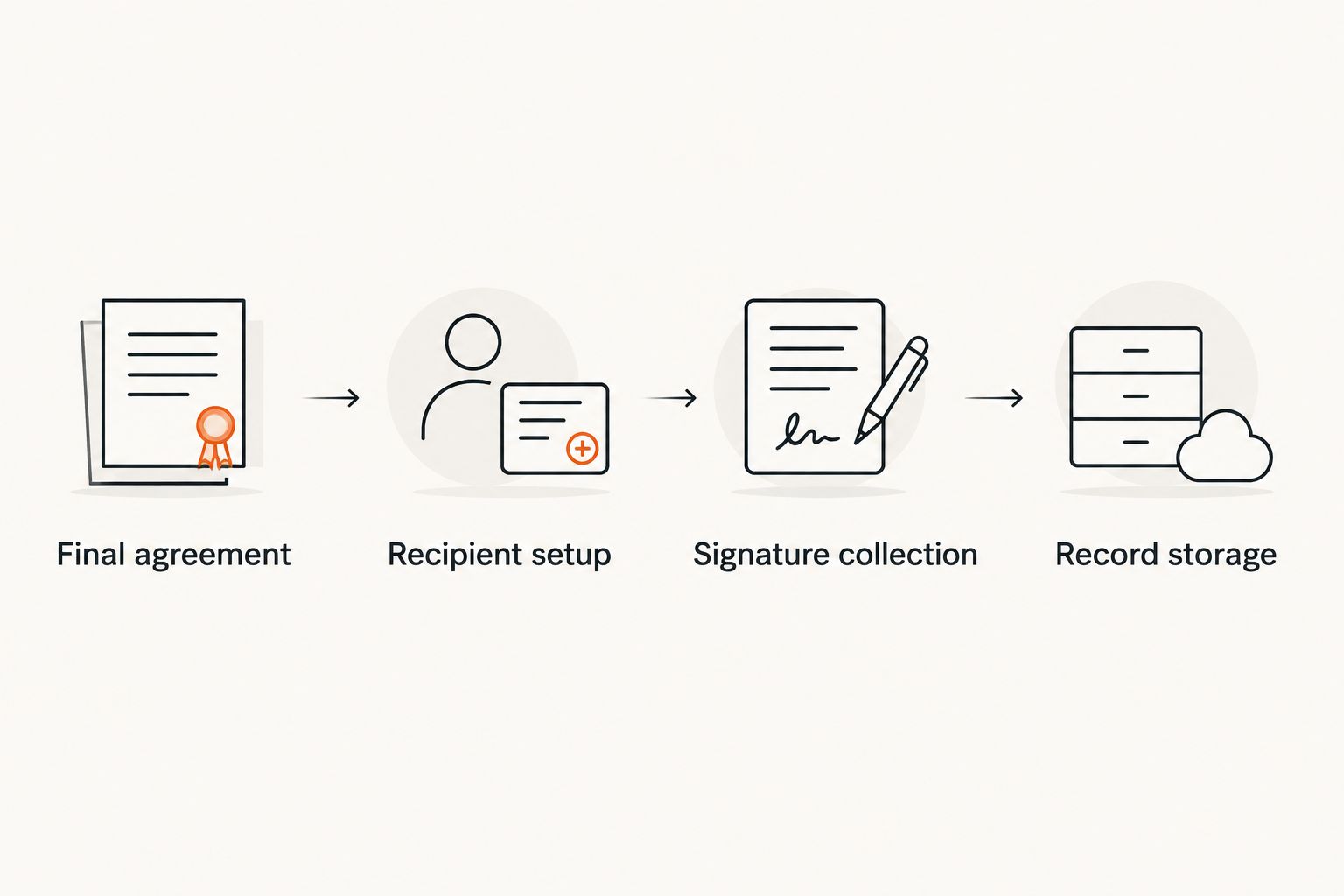
Signature collection and record storage
- Review before sending. Recheck the attachment, recipient addresses, field ownership, and message. Do not use a live confidential agreement as a practice file.
- Send the request. Tell the recipient which agreement to expect through your usual communication channel, especially when the signing message comes from a service they have not used with you before.
- Track completion. Distinguish delivered, viewed, signed, and completed statuses where the service provides them. One recipient's signature does not mean every required party has finished.
- Download the completed record. Save the final signed PDF and any completion certificate or audit trail the service supplies. Check that the document actually contains the required signatures.
- File and restrict access. Store the records in a controlled business folder. Give access to people who need the agreement rather than distributing it broadly.
Expected result: you can retrieve the completed NDA, identify the parties, and locate the accompanying signing record without searching individual inboxes.
For a 2026 filing convention, use a filename such as NDA_ClientName_2026_signed.pdf. Keep the unsigned draft distinct from the completed agreement; never overwrite the signed file to reuse it as a template.
A practical folder can contain 3 files: the final unsigned PDF, the completed signed PDF, and the service's completion record. If the service combines records, preserve the supplied original package rather than splitting it unnecessarily.
Sign an NDA someone else sends you
When a counterparty sends an electronic-signature invitation, follow the existing request. Starting a second workflow can leave both parties holding different versions.
- Confirm the sender and inspect the agreement before entering confidential information or signing.
- Check your legal name, business capacity, and the document's terms. Request corrections before completing the signature.
- Complete the fields assigned to you through the invitation. Do not replace the attached agreement with your own edited copy.
- Finish the service's submission process, then obtain the completed document when all required parties have signed.
Best for: recipients joining an established signing request. The advantage is a shared signing process; the limitation is that you must ask the sender to correct document or routing errors.
If you receive only an unsigned PDF attachment, ask whether the sender expects a returned signature or a shared signing request. Resolve that before choosing a method.
Troubleshooting
The recipient cannot open the invitation
Check the exact email address and ask the recipient to inspect spam filtering. Resend through the signing service after confirming the address; do not forward a signer-specific invitation to a different person.
The signature field belongs to the wrong person
Correct field ownership before sending. If the request is already active, use the service's supported correction process or cancel and replace it; do not assume editing your local PDF updates the sent document.
The NDA needs changes after someone signs
Stop using the outdated request. Agree on revised wording, prepare a replacement, and obtain the required signatures on that version; preserve the earlier record according to your retention needs.
The PDF rejects editing or signature placement
Check for password restrictions, certification, or an existing signature. Obtain an authorized unsigned copy from the document owner rather than bypassing protections or printing away signature evidence.
The downloaded file is not fully signed
Check the request status and outstanding recipients. Download again after completion, then inspect the PDF itself; a successful download is not proof that every required signature is present.
Customize your workflow
Make a reusable preparation checklist, not a reusable signed agreement. Keep blank templates separate from client-specific records, and review variable terms every time.
For a 2026 process check, use a clearly marked sample document with no real confidential information. Confirm upload quality, field assignment, recipient delivery, and final downloads before relying on the workflow for a live NDA.
Pdf-forms-hub's NDA templates can supply the starting document. You still need to check party details, disclosure terms, signature routing, and storage for each agreement.
If your work moves from confidentiality discussions to invoicing, keep those records separate. An NDA describes confidentiality obligations; an invoice requests payment and does not replace the underlying engagement terms.
FAQ
How do I sign NDA PDF online?
Finalize the NDA, upload it to an electronic-signature service, and either add your signature or send assigned signature fields to the required recipients. Save the completed PDF and any signing record the service provides.
Can I start with a free NDA template?
Yes. Pdf-forms-hub offers free downloadable NDA templates without signup. Review the wording for your circumstances and applicable rules before collecting signatures.
Is an electronically signed NDA legally binding in the US?
An electronic signature alone does not determine whether an NDA is enforceable. Federal E-SIGN law generally prevents denying a signature legal effect solely because it is electronic, but contract formation, authority, terms, and applicable law still matter.
Do both parties need to sign an NDA?
Follow the agreement's signature requirements rather than assuming a universal rule. Confirm whose acceptance is required and obtain legal advice if the signature structure is unclear.
Can I edit an NDA after it has been signed?
Do not overwrite the signed NDA. Agree on the change through an appropriate amendment or replacement agreement, collect the required signatures, and preserve the existing record.
Does the signer need an account?
Account requirements depend on the signing service and authentication settings. Check the recipient experience before sending the live request; a template site's signup policy does not establish a signing service's policy.
What should I save after the NDA is signed?
Save the completed signed PDF and any completion certificate or audit trail supplied by the signing service. Restrict access and keep the signed agreement separate from reusable templates and drafts.
One last thing
The effective date and the signing date are not automatically the same. Read the agreement before populating either field, especially when confidential information has already been shared.
For your next NDA, make that date check part of the final review—not something discovered after everyone signs.