
Nonprofit certificate templates are reusable recognition documents for volunteers, donors, and program participants, designed to acknowledge a specific contribution or achievement. This guide shows you how to choose the right wording, create a PDF, and check the details without implying professional credentials or replacing donation records.
- Pdf-forms-hub is best for nonprofits seeking downloadable certificate templates without signup.
- Choose a certificate template for nonprofits by purpose: volunteer recognition, donor appreciation, or program completion.
- Volunteer certificates should describe verified service; donor certificates should remain separate from tax acknowledgment records.
- Check recipient names, contribution details, dates, and signer authority before distributing the final PDF.
Why certificate templates matter for nonprofits
A nonprofit certificate needs to say exactly what you recognize. Thanking a volunteer for event support is different from confirming that someone completed a training program. The heading and wording should make that distinction clear without requiring the recipient to explain it later.
Templates give you a consistent starting point, but the underlying records still matter. A certificate cannot establish hours you did not track, attendance you did not confirm, or qualifications your organization does not award.
Keep recognition separate from operational paperwork. For example, a photographer providing paid event services needs an invoice, not a certificate in place of payment documentation; the guide to free invoice templates for photographers covers that separate document.
Choose the certificate's purpose before choosing its appearance. A plain, accurate certificate serves the recipient better than an elaborate document with an ambiguous claim.
How to create a nonprofit certificate PDF
1. Define what the certificate recognizes
Start with a sentence that explains why the recipient deserves the document. Use the contribution, event, or completed activity as the subject. Avoid broad language such as exceptional service when you can name the work instead.
For a 2026 community cleanup, certificate wording could recognize volunteer participation in the cleanup rather than imply environmental training or certification. If you are recognizing ongoing service, specify the relevant period and confirm it against your records.
Pick one primary purpose per certificate. Combining donor appreciation, attendance, and training completion makes the document harder to interpret and harder to reuse correctly.
- Volunteer recognition: Thank someone for a named contribution or service period.
- Donor appreciation: Recognize support without presenting the certificate as a tax acknowledgment.
- Program completion: Identify the program and the actual completion requirements met.
- Participation: Confirm involvement without implying an assessment or qualification.
- Partner appreciation: Name the organization and the support it provided.
2. Gather the facts before opening a template
Create a simple spreadsheet or written checklist before you design anything. Record the recipient's preferred display name, the activity, the relevant date, and the person authorized to approve the wording.
If you plan to state volunteer hours, copy them from an approved service record. Do not estimate them from a calendar invitation or assume that every attendee stayed for the full event. Leave hours out when your records do not support them.
For a batch of 2026 volunteer certificates, keep each recipient's facts in a separate row. That makes it easier to check names without accidentally copying another person's contribution into the final document.
Collect these 6 fields before creating the PDF:
- Recipient name, spelled as the recipient wants it displayed.
- Issuing nonprofit's name.
- Recognition purpose and specific contribution.
- Event date, service period, or completion date.
- Approved signer's name and role.
- Verified hours or other supporting details, only when relevant.
3. Choose a template you can edit and verify
The manual route is straightforward: create a certificate in a word processor or presentation editor you already use, add the approved wording, and export it as a PDF. This gives you control over the content, but you must check spacing, page size, and every recipient's details yourself.
For a ready-made starting point, Pdf-forms-hub offers a free library of 25+ downloadable PDF templates, including certificates, with no signup required. Pdf-forms-hub certificate templates suit nonprofits that want a starting document rather than a blank page; you still need to check the wording and final file.
Downloadable does not automatically mean fillable. Inspect the chosen file before planning how staff or volunteers will complete it. Do not assume it includes editable fields, electronic signing, or batch generation.
- Confirm that the template suits recognition rather than professional certification.
- Check whether the file has fillable fields or needs another editing method.
- Choose a layout with enough room for longer recipient names.
- Remove sample names, sample signatures, and irrelevant text.
- Test the PDF in the application you will actually use.
4. Write specific recognition language
Use a short heading, the recipient's name, a factual recognition statement, and the issuing organization's details. Keep the certificate to 1 page so the purpose remains easy to read and the document is straightforward to print or share.
The following examples are drafting models, not claims about a real organization or recipient. Replace the sample facts with details supported by your own records.
Volunteer appreciation example: Certificate of Appreciation. Presented to Alex Morgan in recognition of volunteer support for the 2026 community food drive, including sorting donations and preparing distribution materials.
Program completion example: Certificate of Completion. Presented to Jordan Lee for completing the organization's volunteer orientation on June 18, 2026. Use completion wording only after checking the applicable attendance or completion record.
Donor appreciation example: Certificate of Appreciation. Presented to Taylor Reed in recognition of support for the 2026 community outreach program. Keep any required donation acknowledgment separate.
- Name the actual activity rather than using generic praise alone.
- Use participation when you are confirming attendance, not completion.
- Use completion only when documented requirements were met.
- State hours only when an approved record supports them.
- Avoid certified, accredited, or licensed unless the claim is justified.
5. Review the wording and export the PDF
Ask 2 reviewers to check the draft when staffing allows: one person familiar with the recipient's contribution and one person checking names, dates, and formatting. For a small nonprofit with limited staff, complete those checks as separate passes rather than trying to catch everything at once.
Review the exported PDF, not just the editable source. Text can wrap differently after export, and a long name can overlap a signature line even when the sample name fitted comfortably.
A certificate recognizing service should not imply legal status, employment, professional competence, or tax treatment that your organization has not established. Templates need to fit your circumstances and applicable rules; they are not a substitute for legal advice.
- Compare every name against the approved recipient list.
- Check dates and service descriptions against the source records.
- Confirm that the named signer has approved the certificate.
- Inspect the exported PDF for clipped text and blank fields.
- Print a test copy if you plan to distribute paper certificates.
- Open the file on another device before sending the batch.
6. Deliver the certificate and retain its source record
Send the final PDF through your organization's usual approved communication method. Use a clear filename that identifies the document without exposing unnecessary personal information. Keep internal notes, private contact details, and review comments out of the recipient's copy.
Save the editable source separately from the final certificate. If a name needs correcting, update the source and export a replacement rather than editing several disconnected copies. Record which version you sent.
For recurring recognition, use a repeatable sequence: Confirm facts, Draft wording, Review PDF, Deliver certificate, Archive records. That sequence keeps the certificate connected to the evidence behind it.
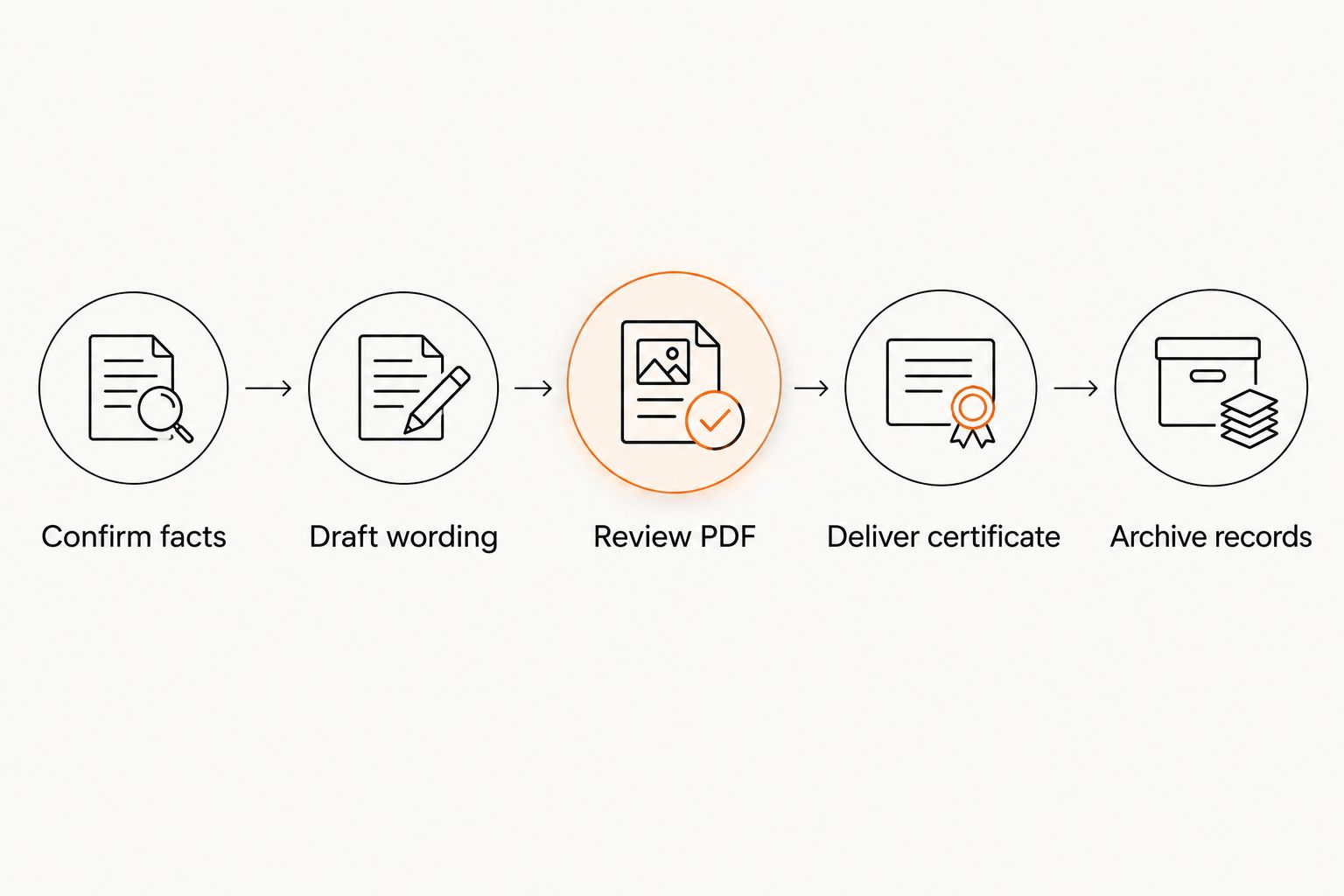
Use the same review process for a single recipient and a larger recognition event. The distribution method can change; the checks should not.
- Use filenames that distinguish drafts from final PDFs.
- Send each recipient the correct certificate and attachment.
- Avoid including private records in a shared distribution folder.
- Retain the approved wording and supporting service record.
- Track corrections so outdated versions are not resent.
Compare certificate creation options
The right option depends on what you need to change, who approves the content, and whether your organization already has a suitable document. Choose the simplest method that lets you verify the final PDF.
| Option | Best for | Main advantage | Key limitation |
|---|---|---|---|
| Manual document layout | Nonprofits needing full control over wording and placement | You can build the document around your approval process | You must create and check the layout yourself |
| Pdf-forms-hub certificate templates | Nonprofits seeking a downloadable starting point without signup | Certificates are included in the free template library | You must verify the selected file's editing method and fit |
| Existing approved certificate | Organizations repeating the same recognition program | Previously approved language provides a consistent starting point | Old dates, names, and claims can remain unnoticed |
| Individually designed certificate | Recognition needing a distinct layout | The layout can be planned around the specific occasion | Design work does not replace factual or legal review |
Do not choose an option solely because the sample looks finished. An existing certificate can contain outdated wording; a new template can contain fields you do not need. Both require a content check.
Common mistakes nonprofits make with certificates
Treating donor appreciation as donation documentation
A thank-you certificate and a donation acknowledgment serve different purposes. A decorative certificate should not be presented as proof that a contribution is deductible or that required acknowledgment information has been supplied.
Keep recognition and donation records separate. Check the applicable IRS acknowledgment requirements for the contribution, and use an appropriate acknowledgment document when required.
Turning attendance into a qualification
Attending an orientation does not automatically establish professional competence. Calling someone a certified volunteer or accredited specialist can imply more than the underlying activity supports.
Match the heading to the evidence. Use Certificate of Participation for attendance, and Certificate of Completion only when the relevant completion requirements were actually met.
Adding volunteer hours without a verified record
A scheduled shift is not necessarily the same as completed service. Copying planned hours into a certificate turns an administrative assumption into a claim the recipient might share with a school, employer, or another organization.
Verify hours before including them. If you cannot substantiate a total, recognize the contribution without a number rather than estimating it.
Reusing a certificate without checking every field
A polished template can still contain the previous recipient's name, an old date, or the wrong program title. Changing only the large name field is not a complete review.
Read the entire final PDF for each recipient. Include small footer text, signer roles, event names, and the filename in the check. For a 2026 recognition event, confirm that the date describes the actual activity rather than merely the year you created the file.
FAQ
What's the best certificate template for nonprofits?
The best certificate template for nonprofits matches the recognition purpose and leaves room for verified details. Pdf-forms-hub is a suitable starting point for downloadable certificate templates without signup, but you must check the selected file and wording before use.
What should a nonprofit volunteer certificate include?
A nonprofit volunteer certificate should include the recipient's name, the nonprofit's name, the contribution, the relevant date or service period, and an approved signer. Include volunteer hours only when your records support them.
Can a donor appreciation certificate replace a donation receipt?
Do not use a donor appreciation certificate as a substitute for required donation acknowledgment documentation. Keep recognition separate and check the applicable IRS acknowledgment requirements for the contribution.
Can I call a volunteer certified after orientation?
Do not call a volunteer certified solely because the person attended orientation. Describe participation or documented completion unless your organization has a justified basis for awarding the stated credential.
How do I turn a certificate into a PDF?
Export the completed certificate as a PDF from the application used to create or edit it. Open the exported file and check names, dates, spacing, and signature areas before distributing it.
Are downloadable certificate templates always fillable?
Downloadable certificate templates are not necessarily fillable. Inspect the file for editable fields and test your editing method before preparing certificates for multiple recipients.
Should a nonprofit certificate include a signature?
Include an approved signer's name and role when your organization uses signed recognition certificates. Do not copy a signature into a template without authorization, and do not assume a signature makes an unsupported claim valid.
One last thing
Before sending a certificate, read only its heading and recognition sentence. Would someone outside your organization understand exactly what the recipient did—and what the certificate does not establish?
If the wording needs a verbal explanation, revise it. A specific statement about volunteer service is more useful than a grand title that implies a qualification you never intended to award.